Turn browser bookmarks into a Notion database.
MoLink writes your bookmark tree into Notion — folder names become tags, folder paths stay intact, and each link arrives with its title, URL and the date you saved it.
For the links you saved and never opened again.
Works on the free plan. No MoLink account needed.
Free and Pro at a glance
Three clicks, then it is a database
No CSV, no export file, no copy-paste.
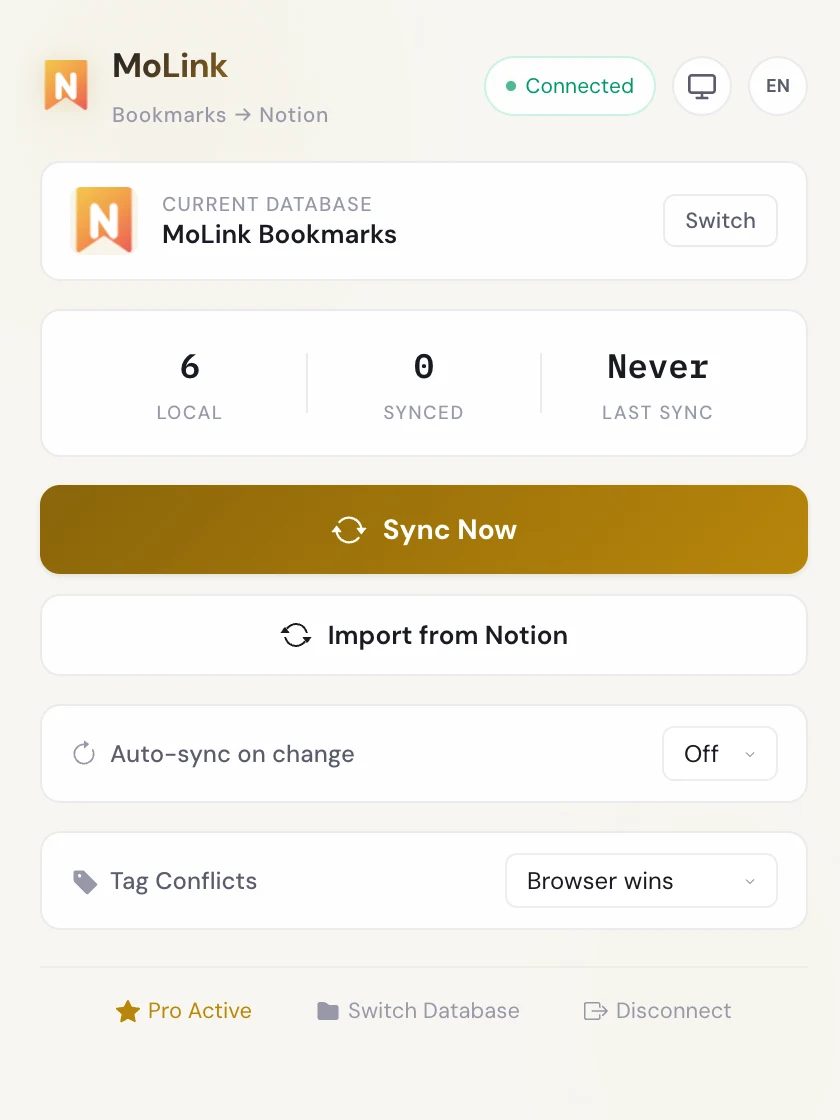
- Connect to Notion
Sign in on Notion and approve access. MoLink never sees your password. - Pick a database — or let Quick Setup create one
Quick Setup creates a page and a database at your workspace root. You can also create one under a page you choose, or point MoLink at a database you already have. - Click Sync Now
Up to 10,000 bookmarks per sync, with a progress bar while the writing happens.
Syncing again matches existing pages by URL, so a link you already synced is not created a second time.
What lands in Notion
| Column | Type | Written by |
|---|---|---|
| Title | title The bookmark title, shortened to fit Notion limits when needed. |
MoLink sync |
| URL | url | MoLink sync |
| Tags | multi_select Your folder names. |
MoLink sync |
| Path | rich_text The full folder path, for example Design / Inspiration. |
MoLink sync |
| Added | date When the bookmark was saved in your browser. |
MoLink sync |
| Original Title | rich_text Only filled in when a title had to be shortened. |
MoLink sync |
| Updated | last_edited_time Maintained by Notion. |
Notion |
| Status | select Inbox, Keep, Review, Archive. |
You |
| Favorite | checkbox | You |
| Notes | rich_text | You |
A free database is created with the first six columns. Pro adds the other four.
Views
- Free: All Bookmarks, a table sorted by Added.
- Pro adds Recent (list), Gallery, By Path (board grouped by Path) and Review Board (board grouped by Status).
You can always add your own views, filters and sorts inside Notion. Full comparison →
Why it is safe to connect
- Your password never reaches us.Sign-in happens on Notion. MoLink receives a token from Notion, never your password.
- Your Notion token stays on our server.Notion access and refresh tokens live in the MoLink Worker. The extension holds a revocable session credential that expires after 30 days idle, or 90 days absolute.
- The extension cannot browse your workspace.It can only call 10 fixed Worker operations — create a database, sync, check a template. There is no wildcard Notion proxy.
- Deleting a bookmark deletes nothing in Notion.The matching page is archived and can be restored. No code path calls a Notion delete endpoint.
- One license, one Notion account.A Pro license is bound to a single Notion account at a time; support can release it when you switch accounts.
Who it is for
Researchers and students
Hundreds of papers and tutorials in nested folders. After sync, By Path groups them the way your folders did.
Designers and writers
The inspiration sites you keep "for later". Gallery shows covers; Notes is yours to fill in.
Developers
Docs and tools sorted by language or framework. Tags filter fast; Review Board turns links into a backlog.
Who should skip it
- You want a live two-way mirror.Reverse sync is a Pro import that reads up to 1,500 rows per run. It is not a continuous mirror of your bookmark bar.
- You use two browsers with different folder structures for the same links.Rows merge by URL, so Tags and Path end up reflecting the most recent sync.
- You need Edge or Safari today.The current builds are Chrome and Firefox.
- You do not use Notion.
Before you install
Will it duplicate my bookmarks?
Syncing again matches the pages already in your database by URL, so links you have synced are not created a second time.
Will it delete my bookmarks or my Notion pages?
The forward sync never deletes. Removing a bookmark archives its Notion page. Reverse sync has an overwrite mode that deletes and recreates browser bookmarks — you have to choose that mode explicitly.
Is the free version enough?
The free plan syncs every bookmark into six columns, manually. Auto-sync, reverse sync, covers, four more columns and four more views are Pro.
I use more than one browser. What happens?
Each browser syncs its own bookmark tree into the same database, and rows are matched by URL. If the same link sits in different folders, Tags and Path follow the most recent sync.